Anti-Counterfeit
Product authentication and fraud prevention system.
Overview
GoValid's Anti-Counterfeit system helps brands protect their products from counterfeiting and fraud. Each genuine product is assigned a unique, verifiable QR code that consumers can scan to confirm authenticity.
Key Features
Detection Profiles
- Create custom detection rules for your products
- Configure alerts for suspicious activity
- Set geographic restrictions
First Scan Anchoring
- The first scan of a QR code establishes its legitimate location
- Subsequent scans from different locations trigger alerts
- Helps identify diverted or counterfeit products
Verification Process
- Consumer scans the product QR code
- System checks the code against the database
- Verification result is displayed:
- Authentic: Genuine product, first scan or expected location
- Warning: Scanned from unexpected location
- Counterfeit: Code not found or flagged
Example of a counterfeit warning shown on a mobile verification page when a QR is scanned from an unexpected location.
Example of a blocked verification page when a QR code is flagged as counterfeit.
Violation Logs
- Automatic logging of suspicious scans
- Location and device tracking
- Timestamp recording
- Pattern detection for organized fraud
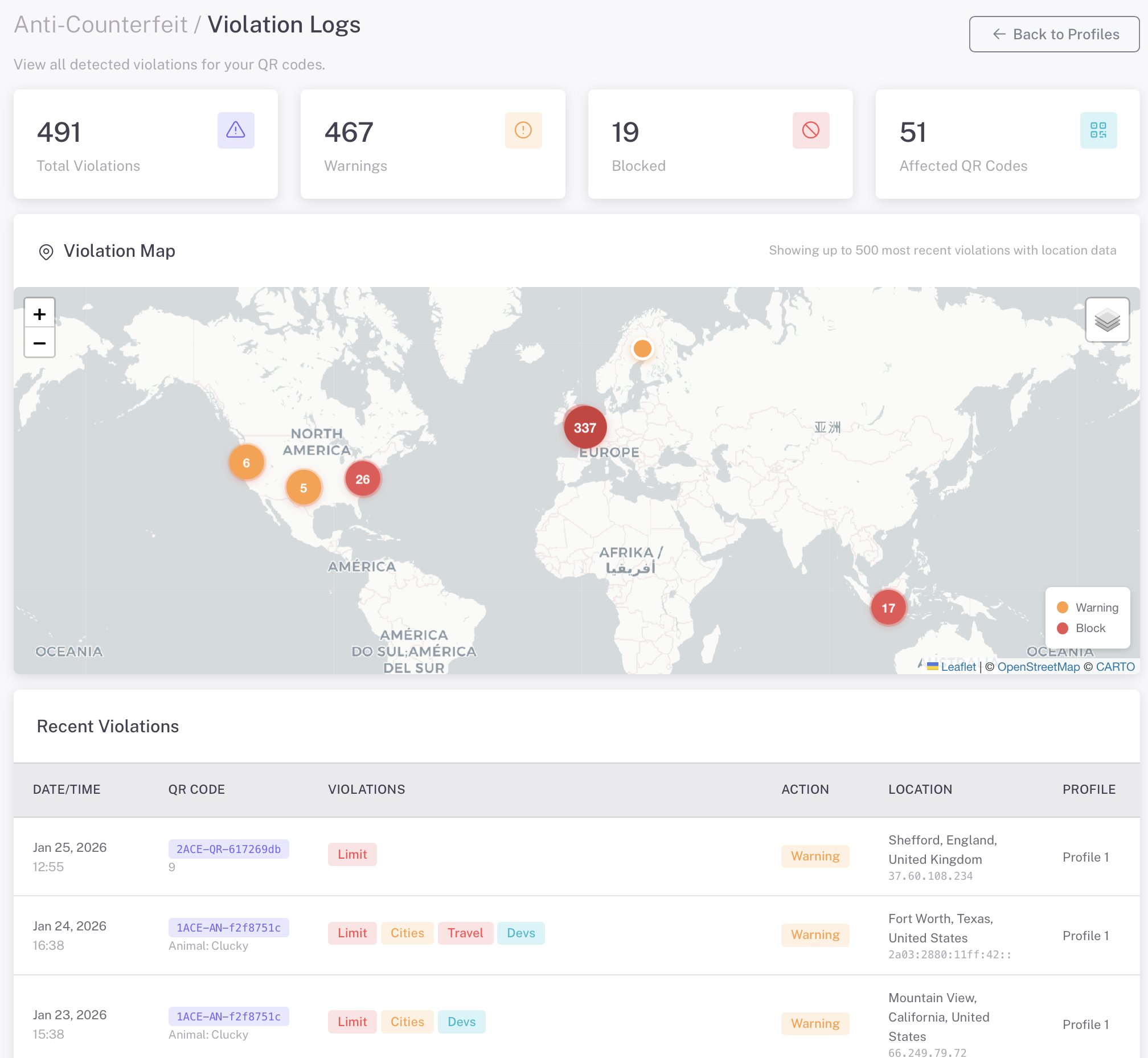
The violations dashboard displays flagged scans with location data, device info, and timestamps to help identify counterfeit activity.
Reports
- Generate anti-counterfeit reports
- View violation statistics
- Export data for legal proceedings
- Track trends over time
Getting Started
1. Create an Anti-Counterfeit Profile
- Log in to my.govalid.org
- Navigate to Detection Profiles
- Create your brand profile
- Configure detection settings
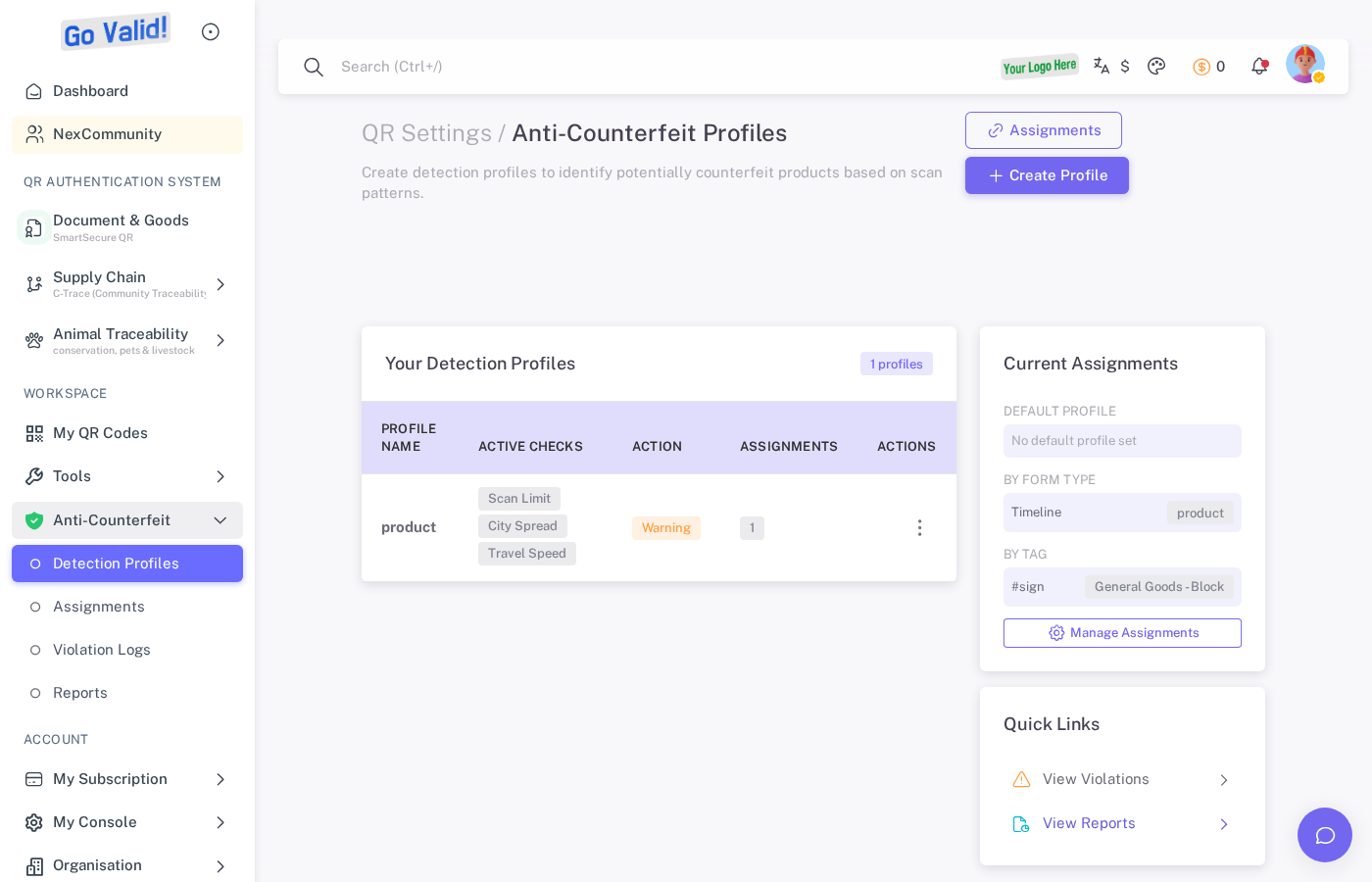
Detection Profiles let you create brand protection rules, set geographic restrictions, and configure alerts for suspicious activity.
2. Set Up Detection Rules
- Define expected scan locations
- Set alert thresholds
- Configure notification preferences
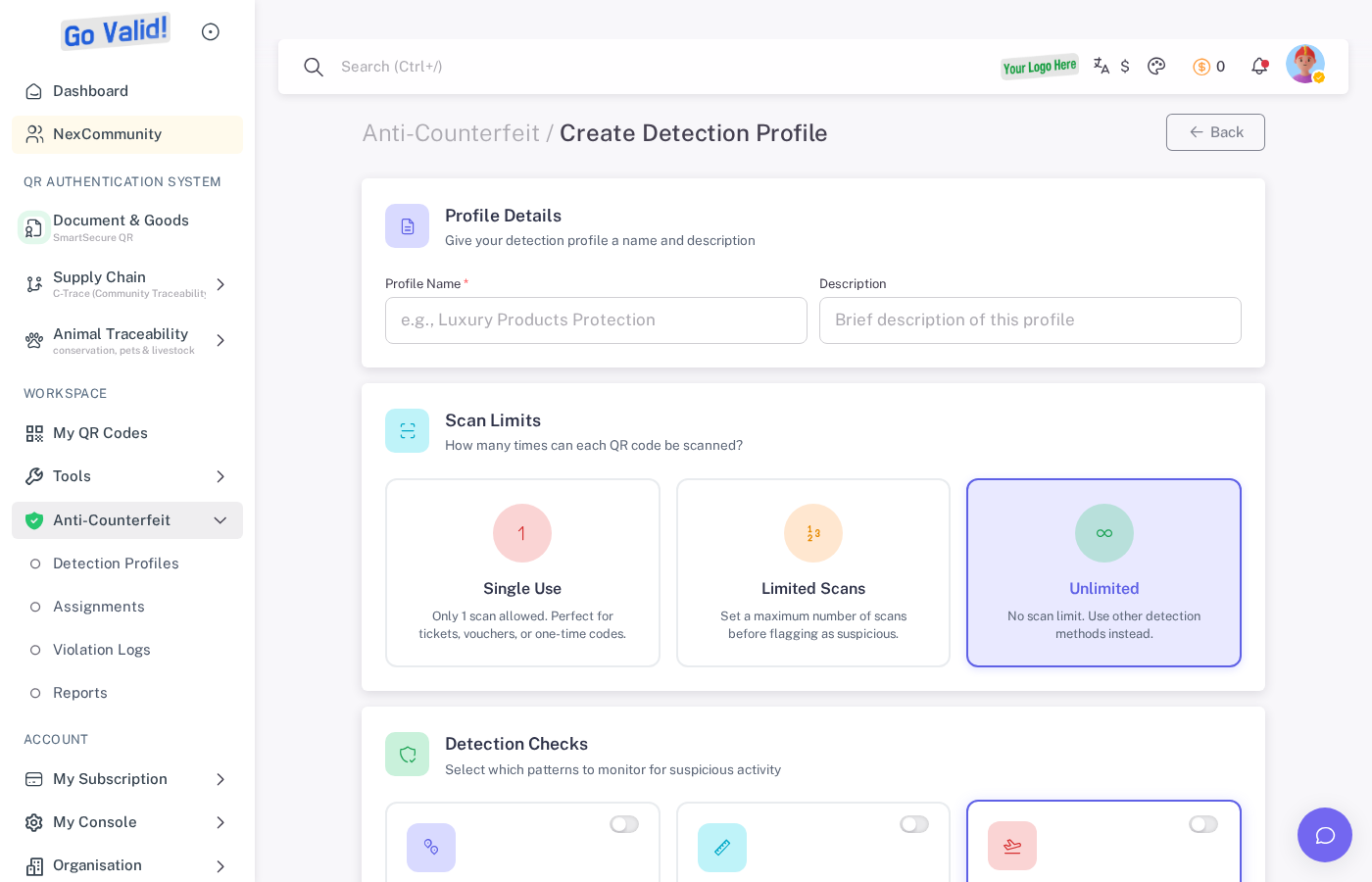
The create profile form lets you define brand name, expected scan regions, alert thresholds, and notification settings.
3. Generate Product QR Codes
- Create product profiles
- Generate unique QR codes for each unit
- Print and apply to products
4. Monitor Activity
- Access the Violations dashboard
- Review scan activity reports in real-time
- Investigate violations
- Generate reports
5. Assign QR Codes to Products
- Navigate to Assignments
- Select a detection profile
- Assign existing QR codes or generate new ones
- Link them to specific product units
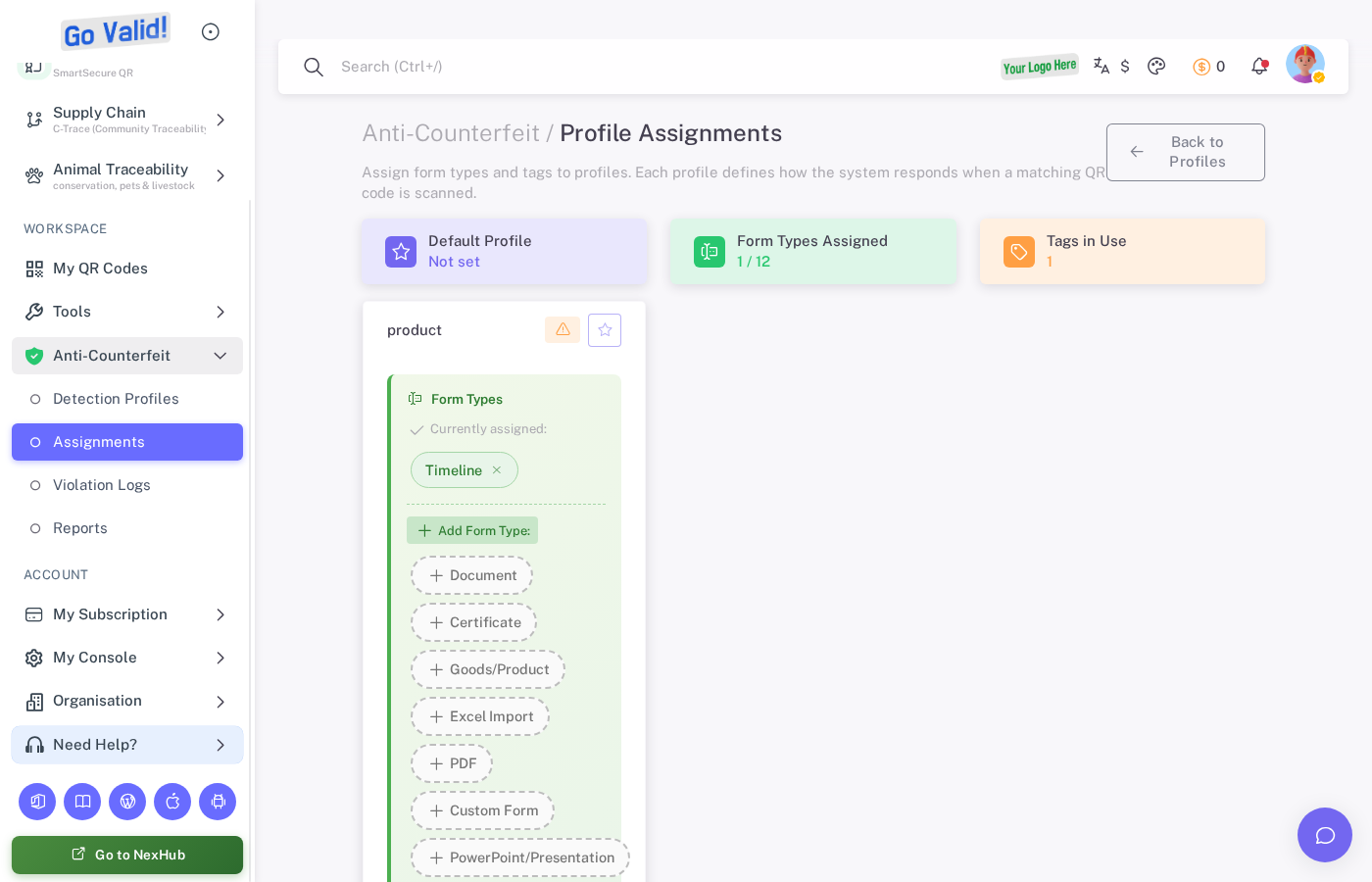
The Assignments page lets you link QR codes to specific products, track assignment status, and manage product-unit mappings.
Detection Check API
Verify product authenticity programmatically:
curl -X POST https://api.govalid.org/api/v1/anti-counterfeit/detect/ \
  -H "Authorization: Bearer YOUR_API_KEY" \
  -H "Content-Type: application/json" \
  -d '{
    "qr_code": "abc123",
    "location": {
      "country": "ID",
      "city": "Jakarta"
    }
  }'
Interactive API Documentation:
- Swagger UI - Try API endpoints directly
- ReDoc - Full API reference
See API Reference for detailed endpoint documentation.
Use Cases
| Industry | Application |
|---|---|
| Fashion | Luxury goods authentication |
| Electronics | Genuine product verification |
| Pharmaceuticals | Drug authenticity checks |
| Food & Beverage | Product origin verification |
| Cosmetics | Brand protection |
Related
- QR Codes - Create secure QR codes
- C-Trace - Supply chain traceability
- API Reference - Anti-counterfeit endpoints