OJS Plugin
Integrate GoValid with Open Journal Systems (OJS) for academic publishing.
Overview
The GoValid OJS Plugin enables academic journals to:
- Add verification QR codes to published articles
- Authenticate article PDFs
- Track article access and downloads
- Prevent document fraud
Supported Versions
| OJS Version | Plugin Version | Status |
|---|---|---|
| OJS 3.4.x | 2.x | Supported |
| OJS 3.3.x | 2.x | Supported |
| OJS 3.2.x | 1.x | Legacy |
Installation
From Plugin Gallery
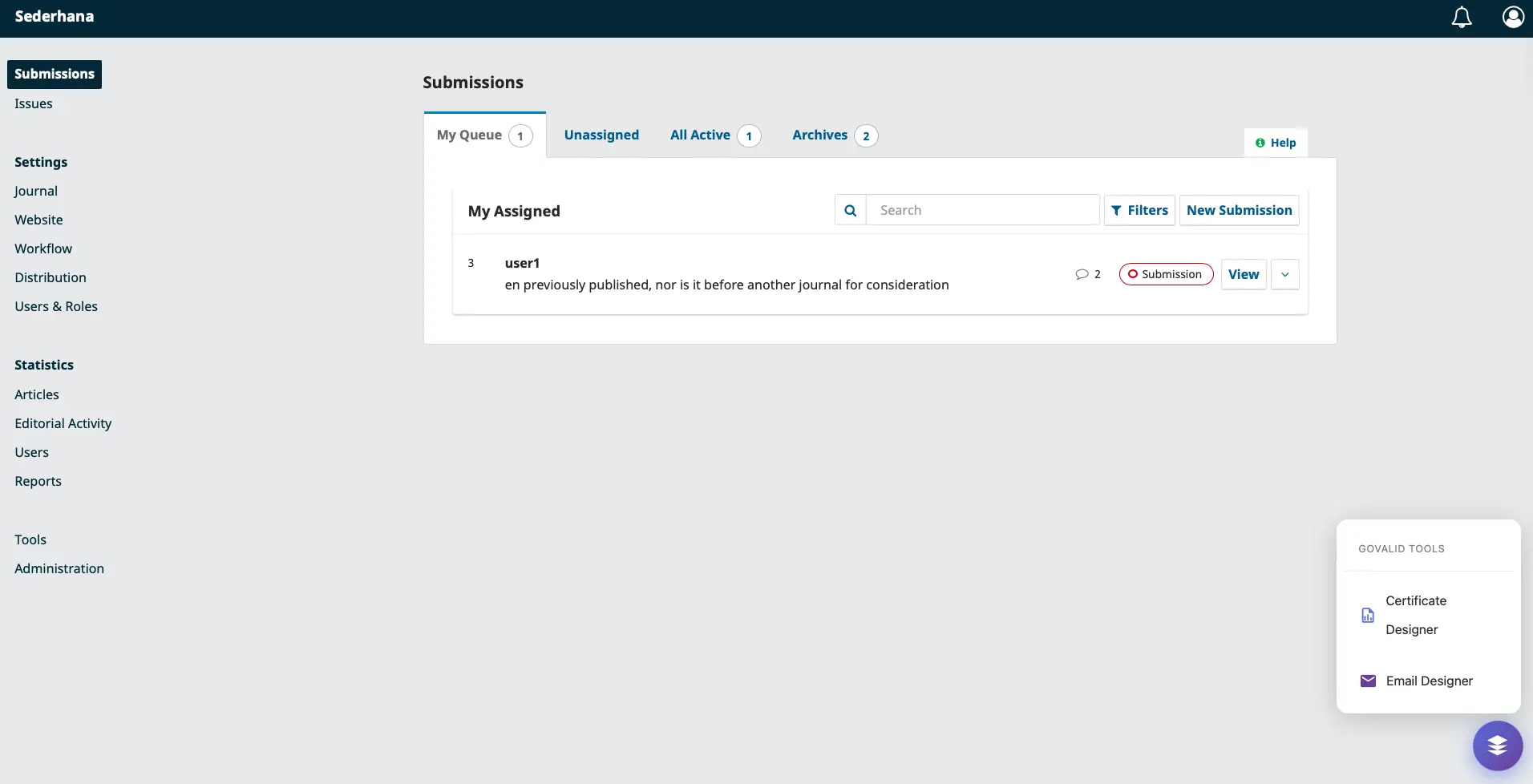
The GoValid Tools floating action button (FAB) in the OJS dashboard provides quick access to all plugin features.
- Log in to OJS as Administrator
- Go to Settings → Website → Plugins
- Click Plugin Gallery
- Search for "GoValid"
- Click Install
- Enable the plugin
Manual Installation
- Download from GoValid Third-Party Downloads
- Extract to
/plugins/generic/govalid/in your OJS installation - Go to Settings → Website → Plugins
- Find GoValid and click Enable
Configuration
API Setup
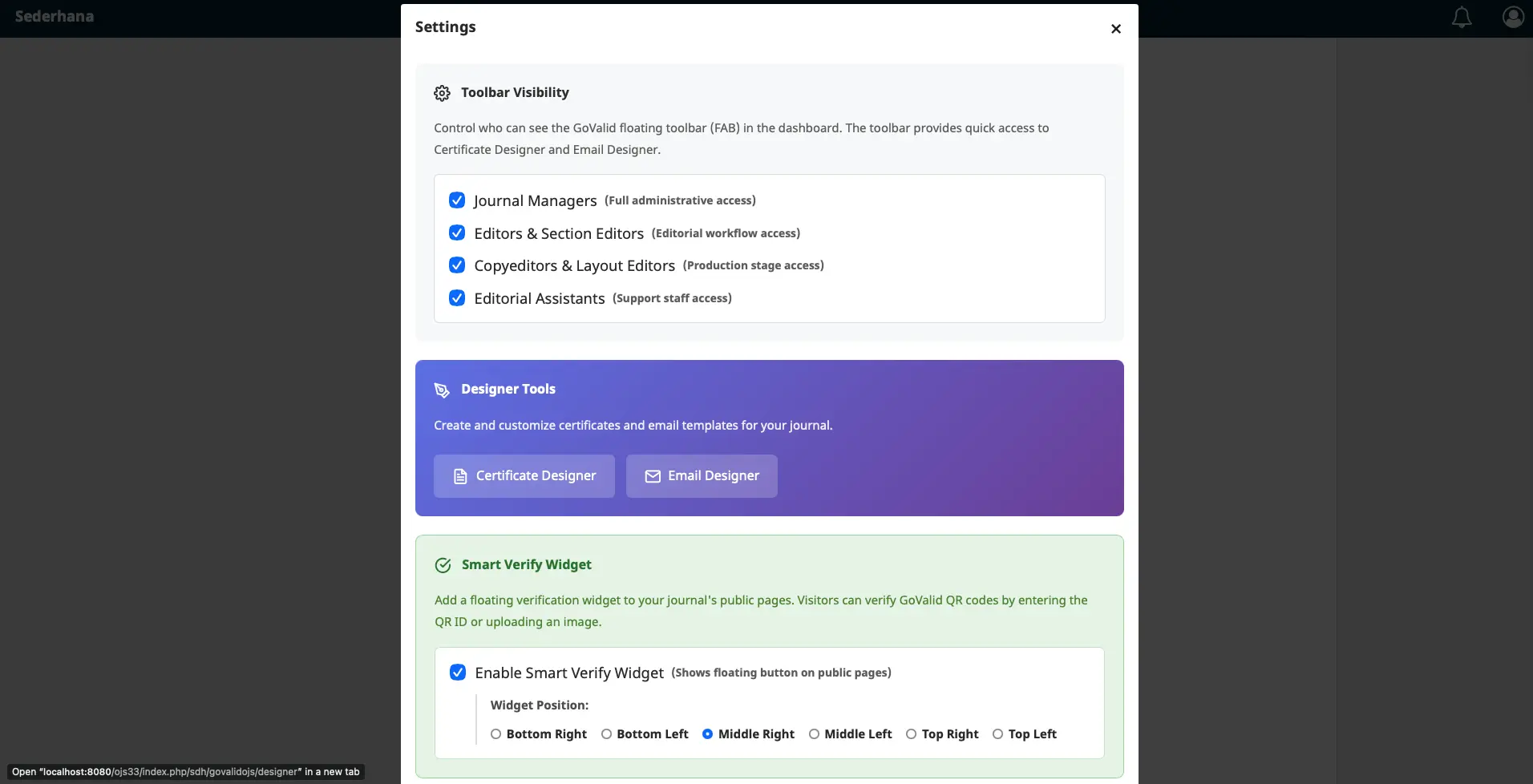
The GoValid plugin settings in OJS let you configure Toolbar Visibility, Designer Tools, and Smart Verify Widget options.
- Go to Settings → Website → Plugins
- Find GoValid plugin → Settings
- Enter your GoValid API key
- Configure QR placement options
- Save settings
Settings Options
| Setting | Description |
|---|---|
| API Key | Your GoValid API key |
| QR Position | Where to place QR on PDF |
| QR Size | Size of QR code (small/medium/large) |
| Include Metadata | Embed article metadata in QR |
| Auto-Generate | Generate QR on publish |
Features
Automatic QR Generation
When enabled, QR codes are automatically generated when articles are published:
- Article is submitted and reviewed
- Editor publishes the article
- GoValid plugin generates verification QR
- QR is embedded in article PDF
- Readers can scan to verify authenticity
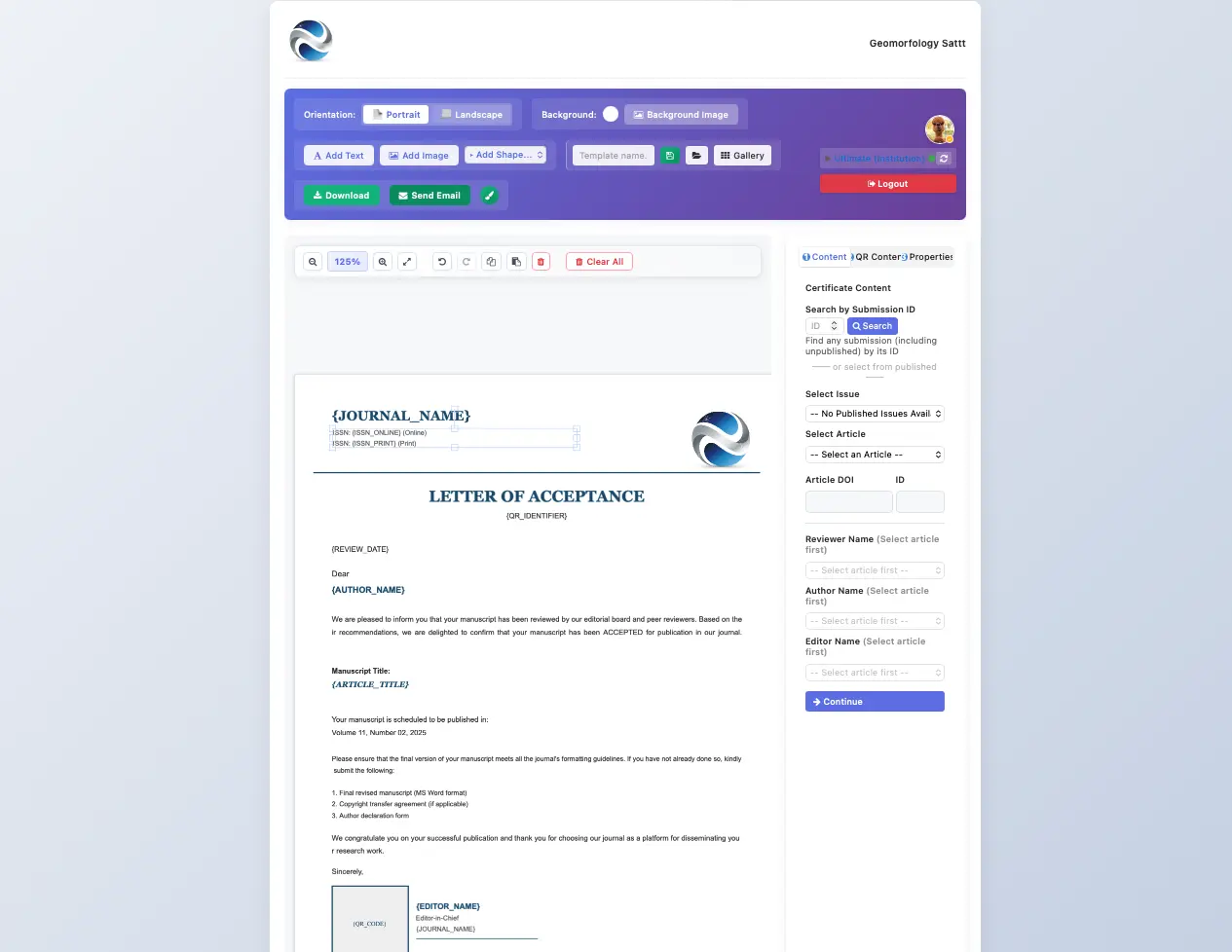
The Certificate Designer lets journal managers create verifiable certificates with pre-built templates, searchable by Submission ID.
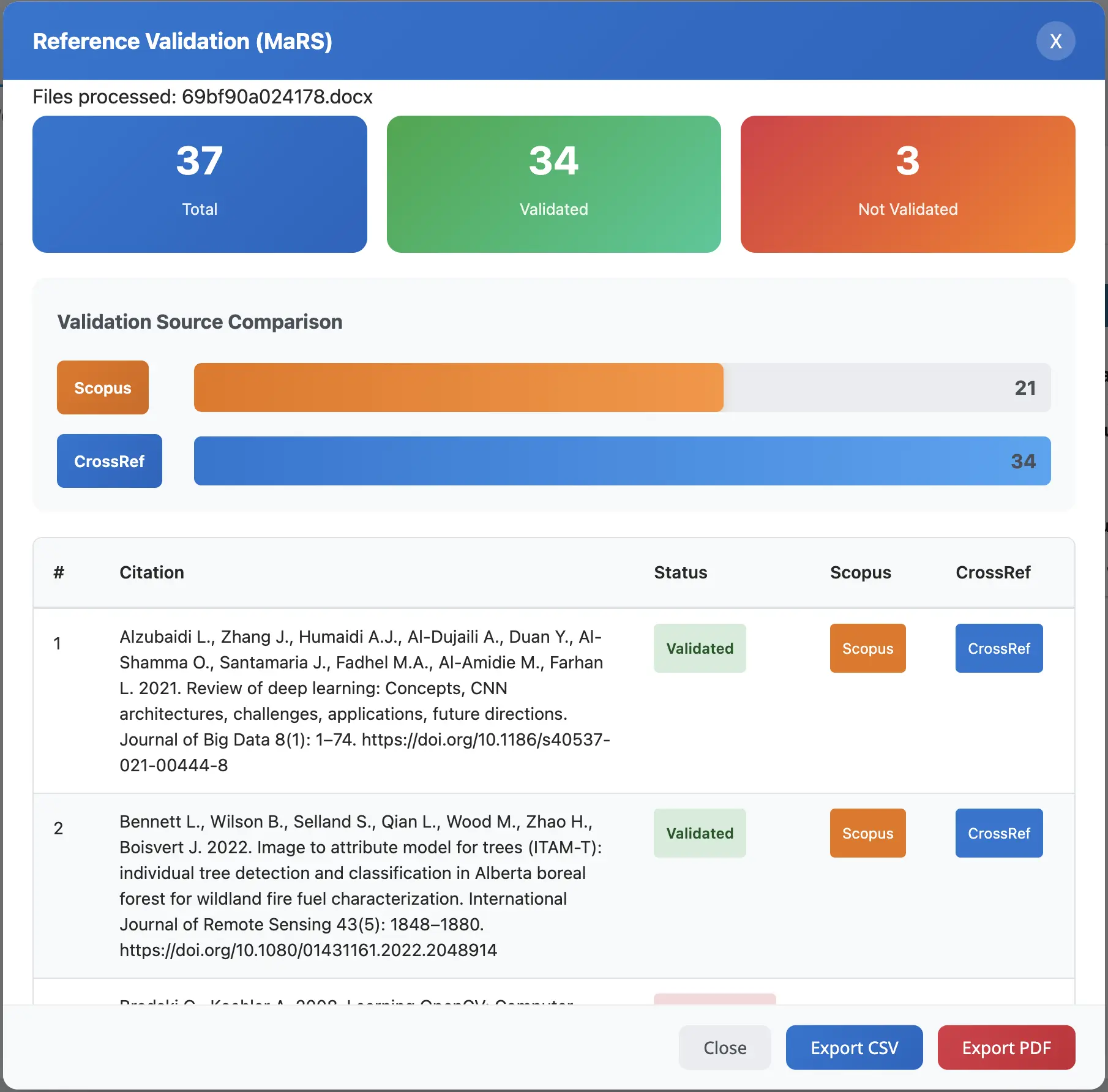
Reference Validation results show a summary of validated references with Scopus & CrossRef comparison, with CSV and PDF export options.
QR Code Content
The generated QR contains:
{
  "type": "academic_article",
  "journal": "Journal Name",
  "title": "Article Title",
  "authors": ["Author 1", "Author 2"],
  "doi": "10.1234/example",
  "published": "2025-01-29",
  "verification_url": "https://govalid.org/verify/abc123"
}
Verification Page
When scanned, users see:
- Article title and authors
- Journal name and issue
- Publication date
- DOI link
- Verification status (authentic/modified/unknown)
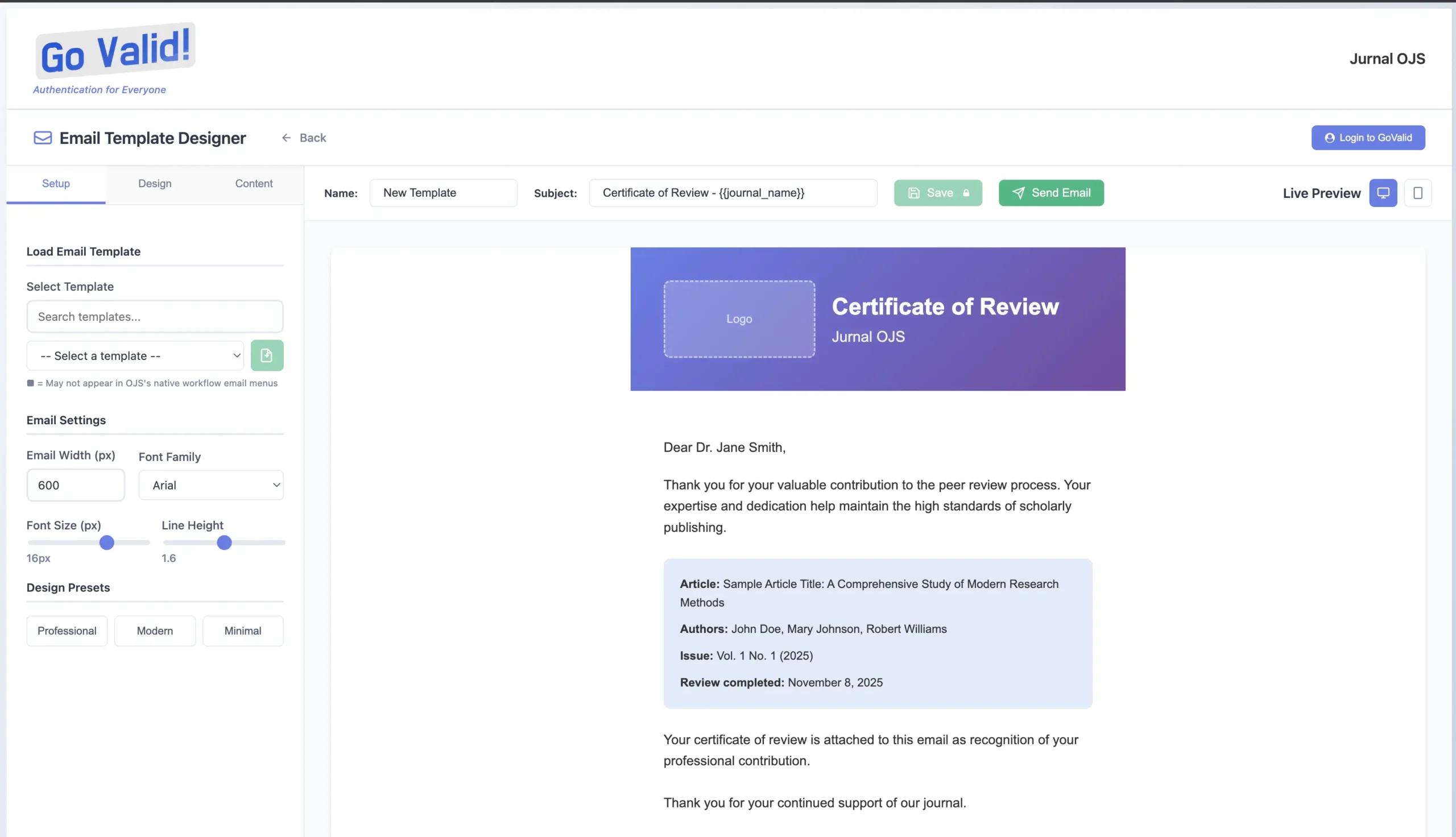
The Email Template Designer provides a live preview of certificate email layouts for authors, reviewers, and editors.
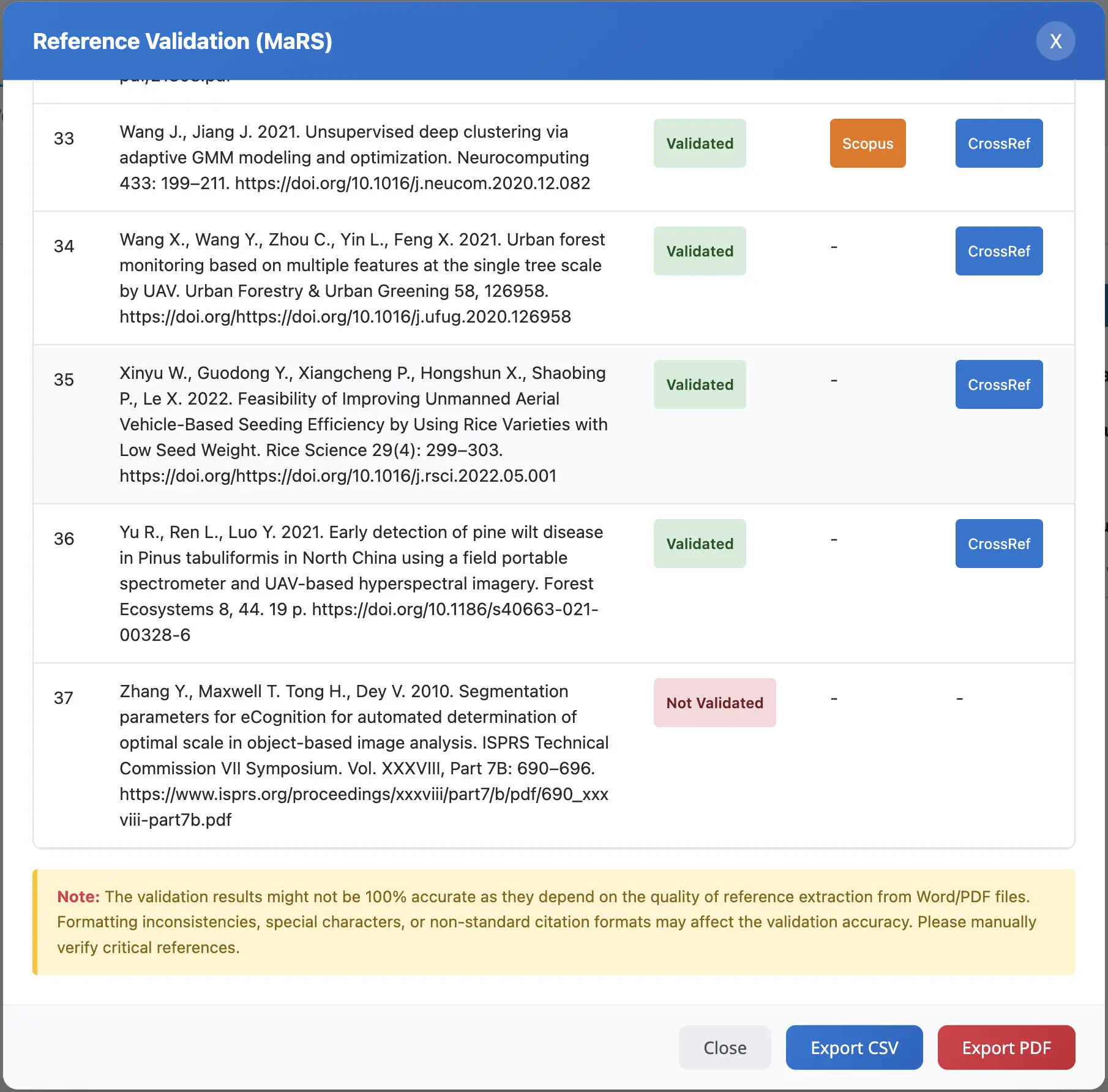
Per-citation validation status shows each reference as Validated or Not Validated with source badges.
PDF Stamping
Placement Options
| Position | Best For |
|---|---|
| First Page Header | High visibility |
| First Page Footer | Standard placement |
| Last Page | Less intrusive |
| All Pages | Maximum security |
Customization
- Upload journal logo to include
- Set custom verification message
- Choose QR code colors
- Add watermark text
Workflow Integration
Submission Workflow
Submission → Review → Copyediting → Production → [GoValid QR] → Publication
Galley Integration
QR codes are added to PDF galleys:
- Upload PDF galley
- Plugin processes PDF
- QR code added to specified position
- Modified PDF saved as new galley
- Original preserved as backup
API Integration
For custom integrations:
// Get verification status
$govalid = new GoValidOJSClient($apiKey);
$result = $govalid->verify($articleId);

// Generate QR for article
$qr = $govalid->generateArticleQR([
    'article_id' => $articleId,
    'journal_id' => $journalId,
    'include_authors' => true
]);
Troubleshooting
QR Not Appearing
- Check API key is valid
- Verify plugin is enabled
- Check PDF galley exists
- Review error logs
Verification Failing
- Ensure article was published with plugin active
- Check QR code is not damaged
- Verify internet connection
- Try manual verification at govalid.org
PDF Processing Errors
- Check PDF is not password-protected
- Ensure PDF is valid format
- Check file size limits
- Review PHP memory limits