WordPress Plugin
Add QR code authentication and verification to your WordPress website.
Overview
The GoValid WordPress Plugin enables you to:
- Add QR codes to posts, pages, and custom post types
- Embed verification widgets on your site
- Enable user authentication via QR codes
- Integrate with WooCommerce for product verification
Supported Versions
| WordPress Version | Plugin Version | Status |
|---|---|---|
| 6.x | 2.x | Supported |
| 5.9+ | 2.x | Supported |
| 5.5 - 5.8 | 1.x | Legacy |
Installation
From WordPress Plugin Directory
- Log in to your WordPress admin dashboard
- Go to Plugins → Add New
- Search for "GoValid"
- Click Install Now
- Click Activate
Manual Installation
- Download from GoValid Third-Party Downloads
- Upload to
/wp-content/plugins/govalid/ - Activate through the Plugins menu in WordPress
Configuration
Connect to GoValid
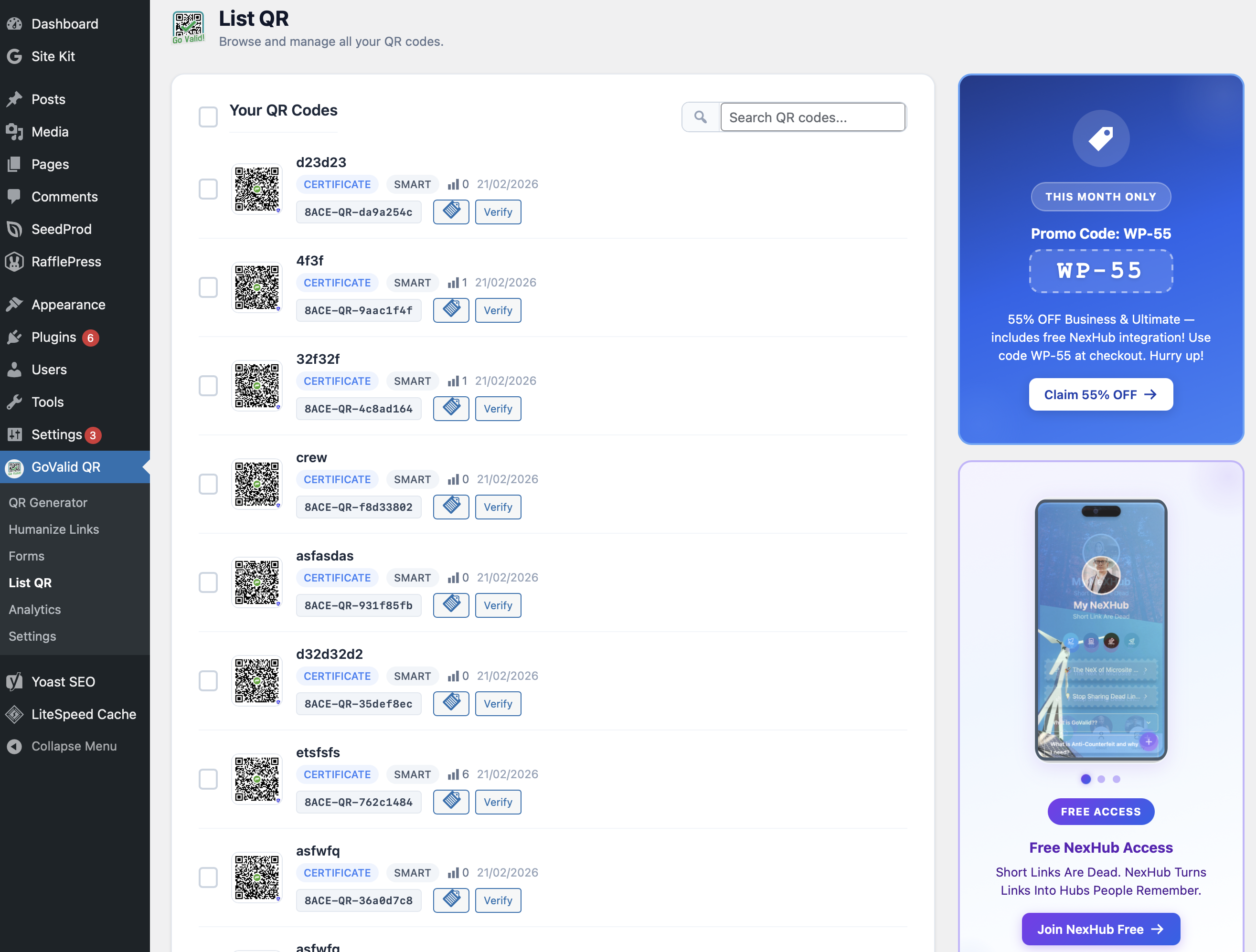
The GoValid QR plugin dashboard in WordPress lists all your QR codes with scan counts and status.
- Go to Settings → GoValid
- Click Connect with GoValid
- Authorize the plugin with your GoValid account
- Configure default settings
Settings Options
| Setting | Description |
|---|---|
| API Key | Your GoValid API key (auto-filled if connected) |
| Default QR Type | Default type for new QR codes |
| Default Security Level | Smart, Verified, Secure, or Enterprise |
| Auto-Generate | Auto-generate QR on post publish |
| Widget Position | Where to display QR on posts |
Features
QR Code Blocks
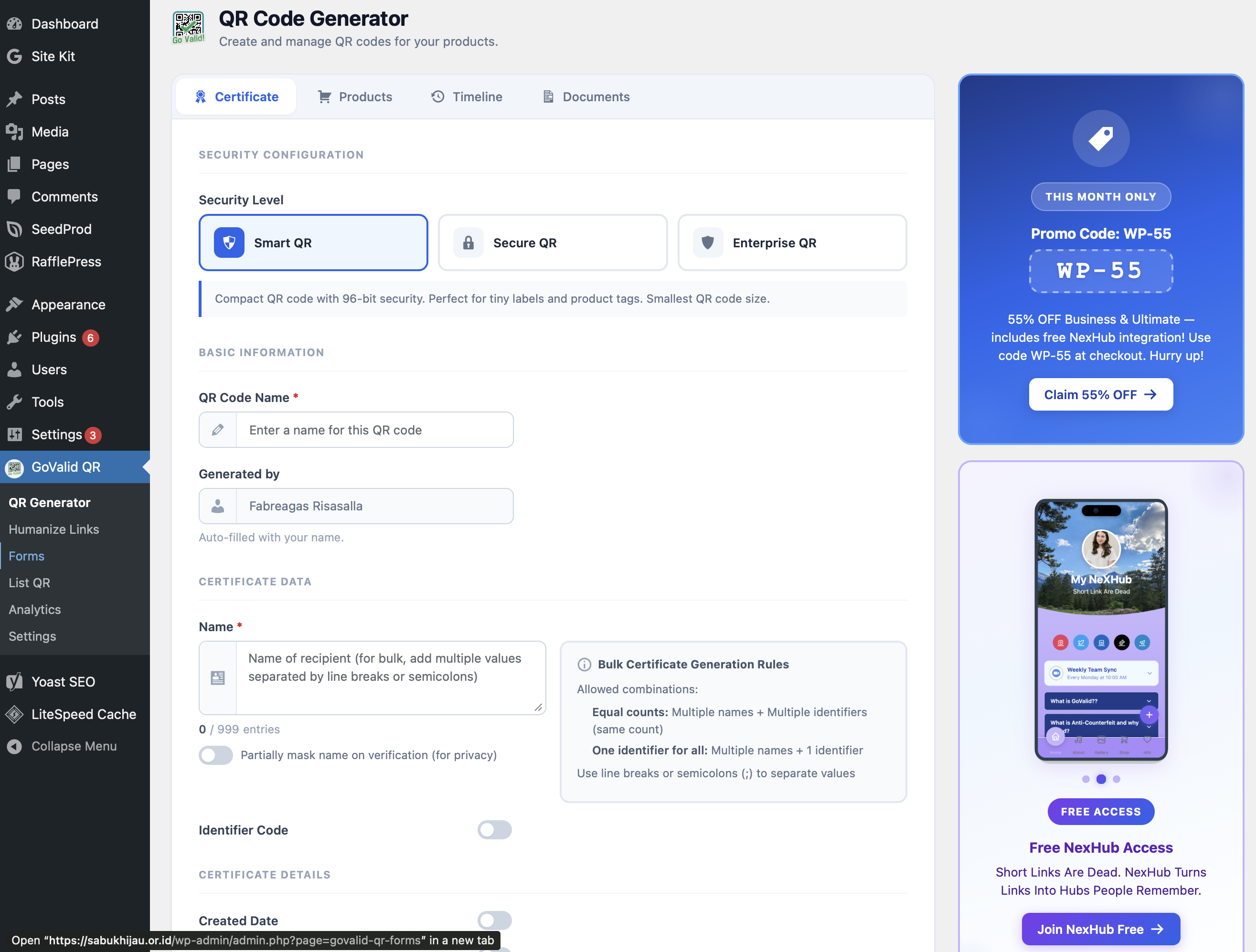
The QR Code Generator lets you create new QR codes directly from the WordPress admin with full configuration options.
Add QR codes using the Gutenberg block editor:
- Edit a post or page
- Add the GoValid QR block
- Configure QR content and settings
- Preview and publish
Shortcodes
Use shortcodes to embed QR codes anywhere:
[govalid_qr title="My QR" type="url" content="https://example.com"]
Verification Widget
Add a verification widget to let visitors verify QR codes:
[govalid_verify]
Scan Analytics
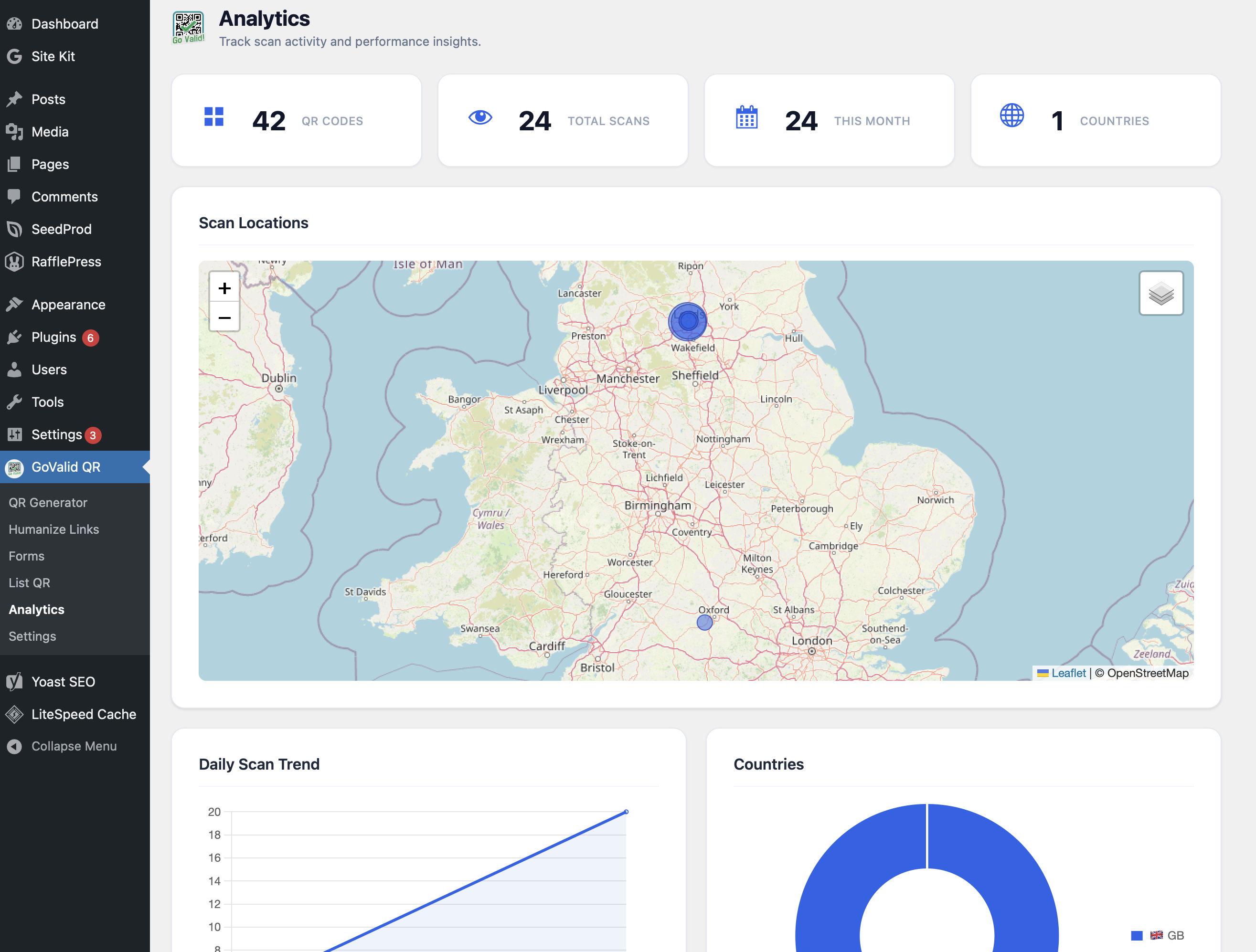
The Analytics page features an interactive cluster map showing where your QR codes are being scanned worldwide.
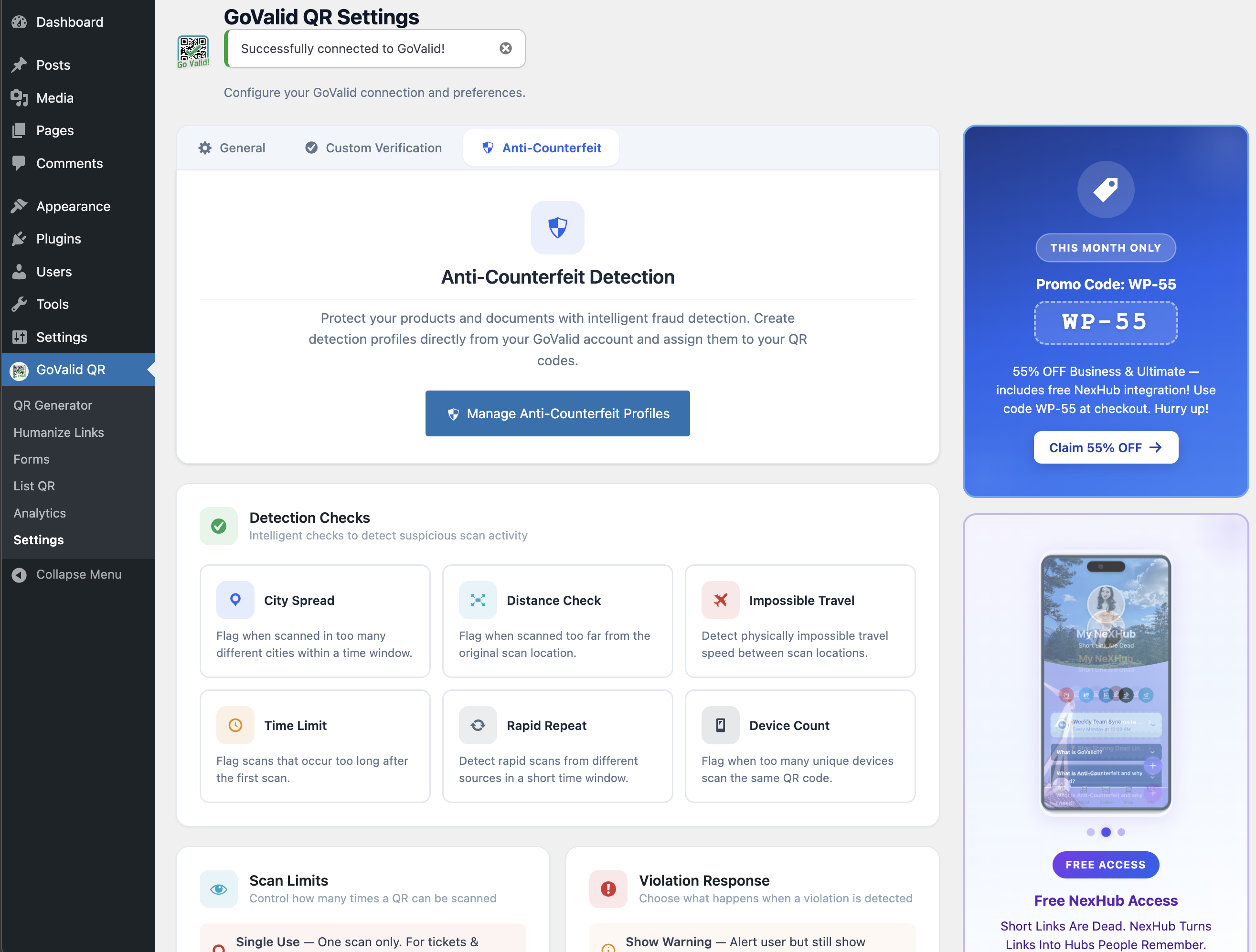
The Anti-Counterfeit Detection dashboard monitors and alerts on suspicious scan patterns.
WooCommerce Integration
Add QR codes to products:
- Enable WooCommerce integration in settings
- QR codes are auto-generated for products
- Customers can scan to verify product authenticity
Custom Forms
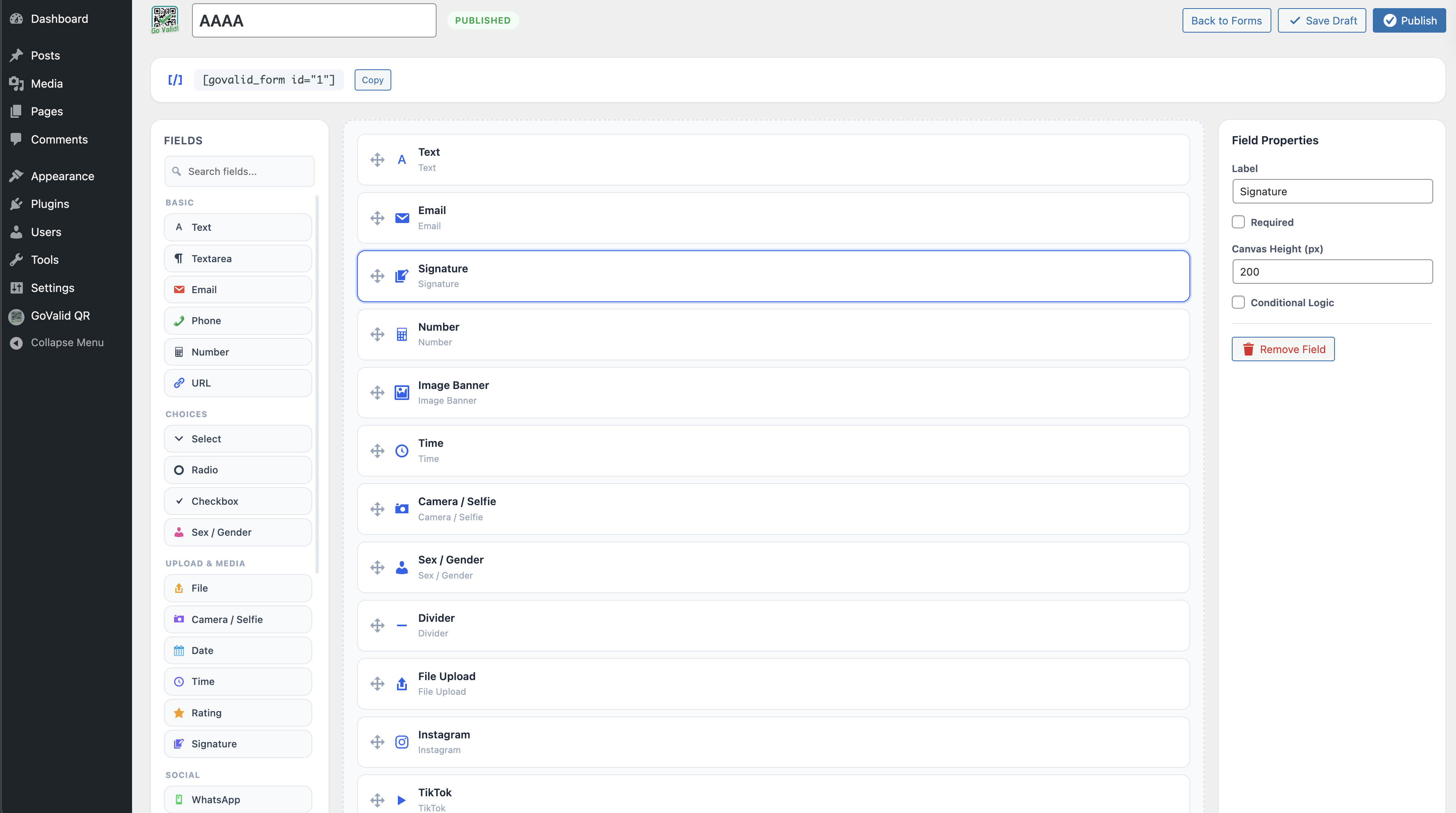
The Form Builder lets you create custom forms that are linked to your QR codes for data collection.
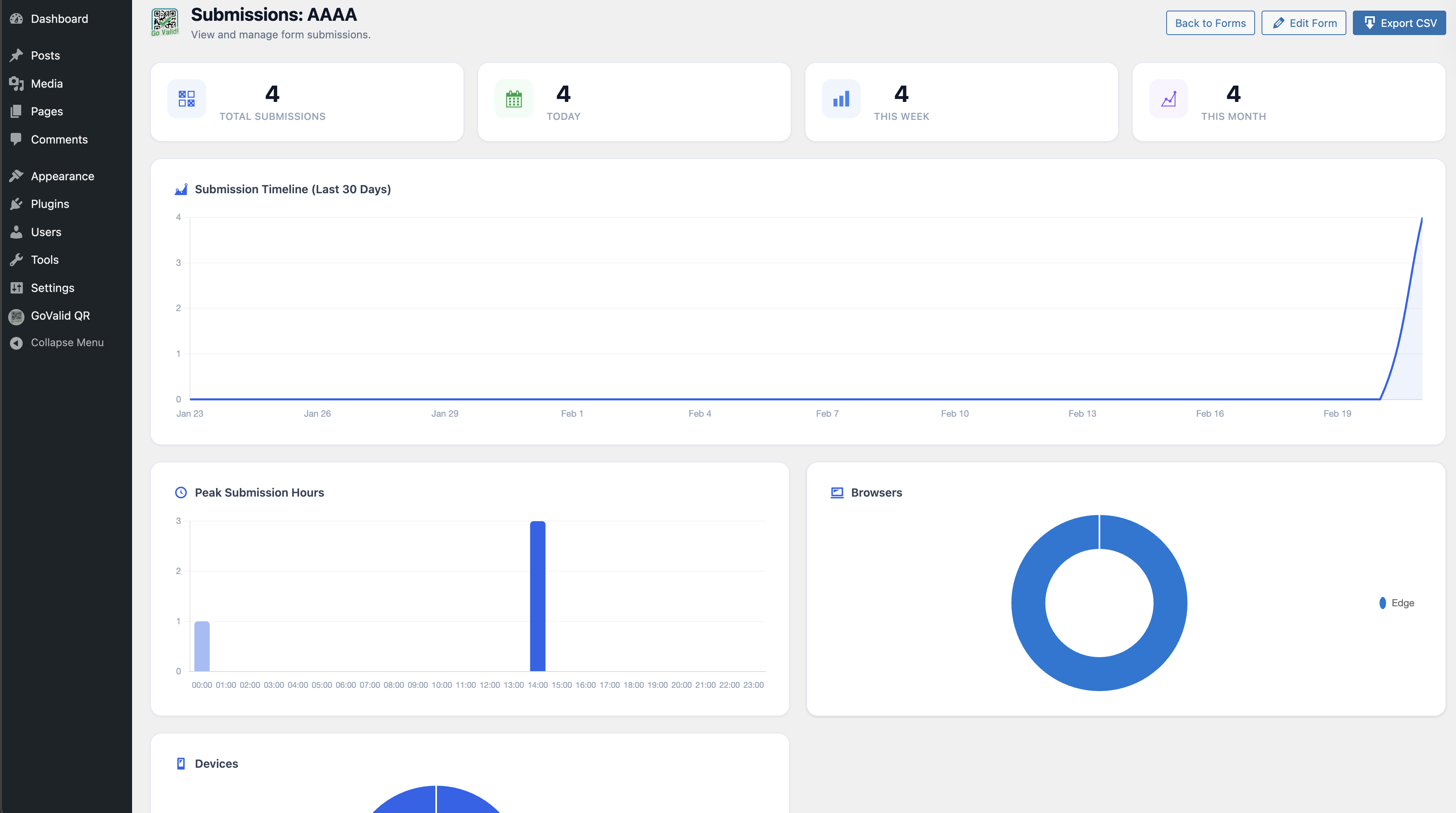
Form Submissions view shows all responses collected through your QR-linked custom forms.
User Authentication
Enable QR-based user login:
- Enable QR login in settings
- Users generate login QR from their GoValid account
- Scan QR on login page to authenticate
Verification & Humanize Links
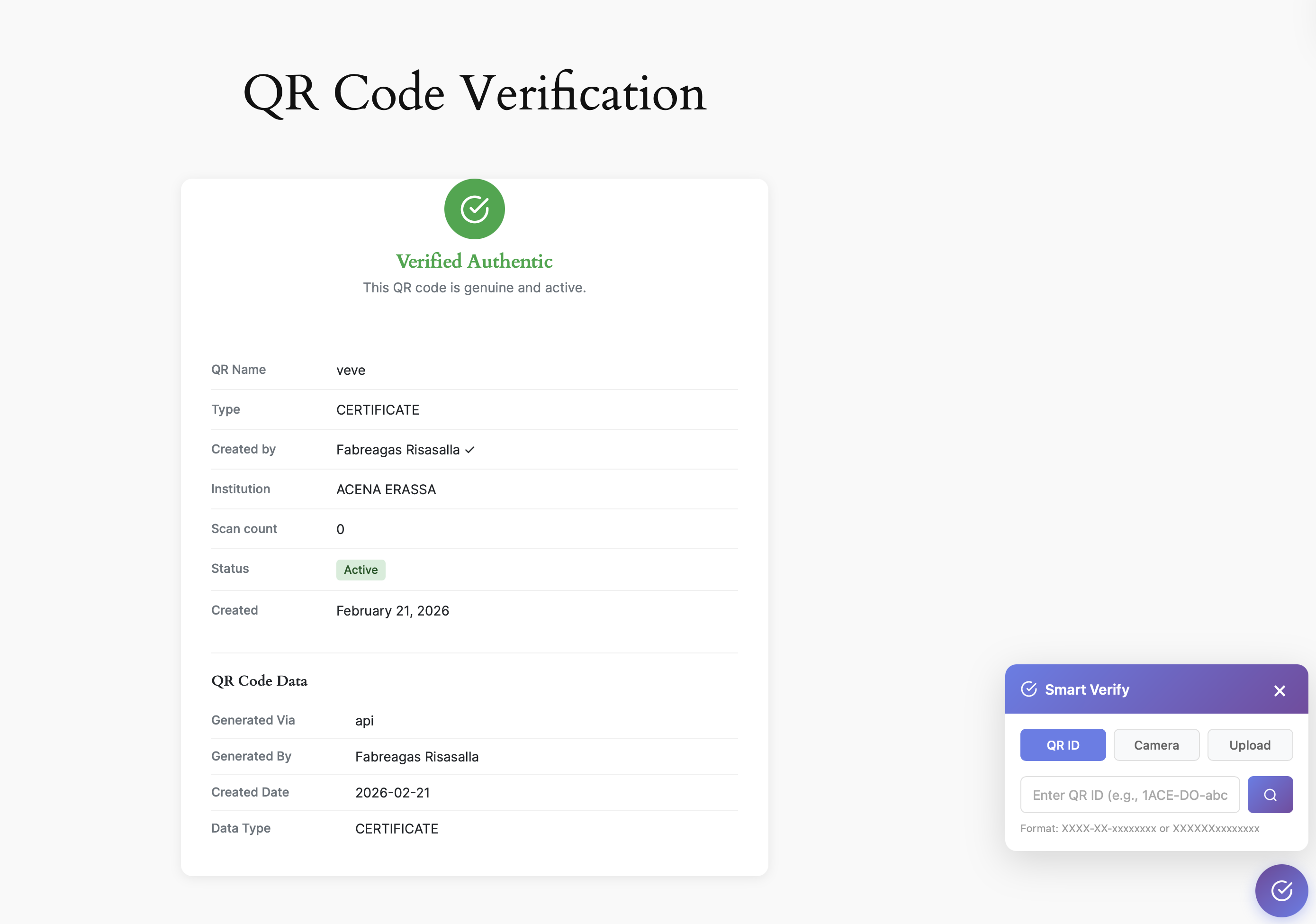
The custom verification page lets visitors verify QR codes directly on your WordPress site.
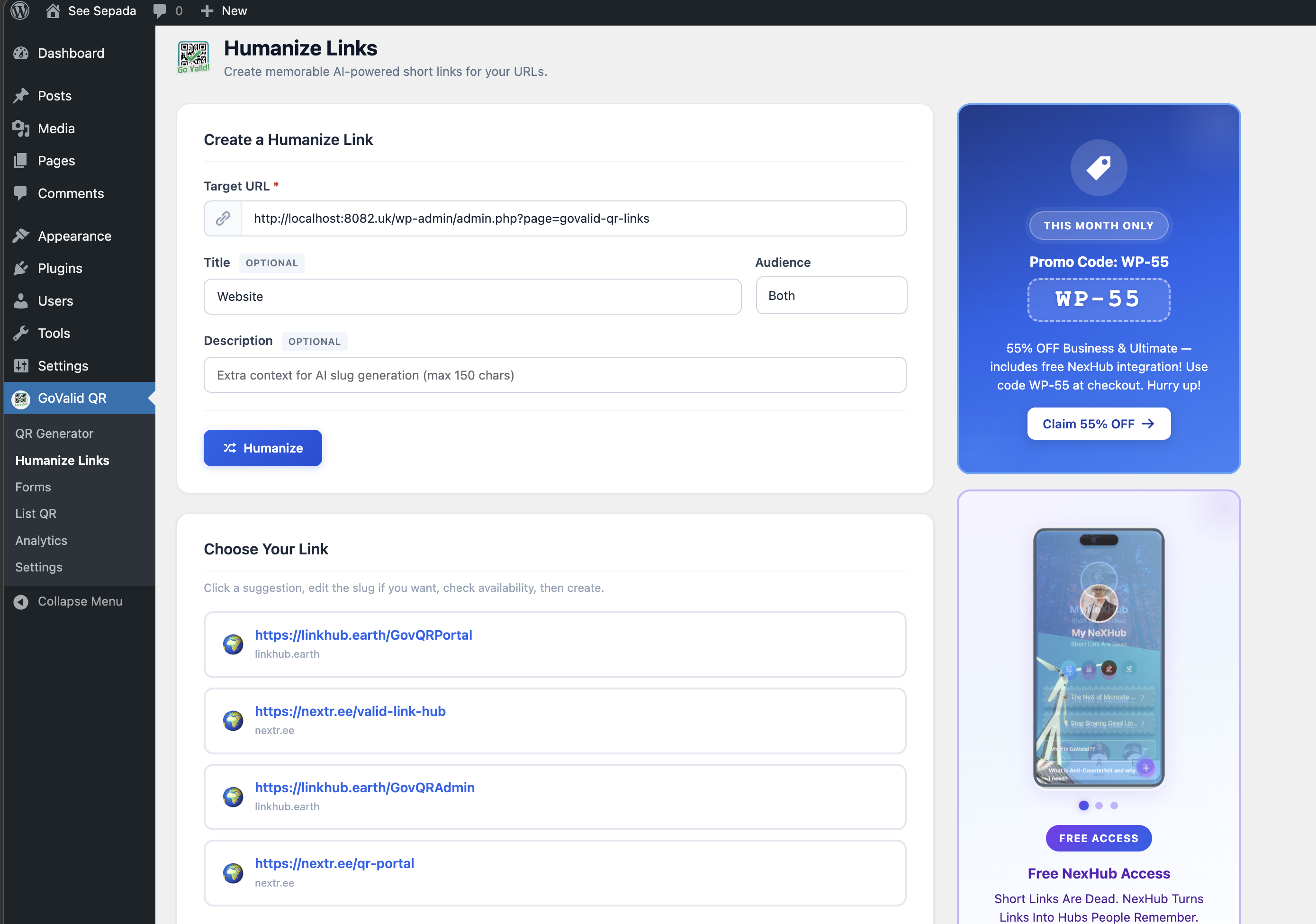
Humanize Links replaces raw verification URLs with readable, branded short links.
QR Code Display Options
Position
| Position | Description |
|---|---|
| Before content | Above post content |
| After content | Below post content |
| Sidebar | In widget area |
| Custom | Using shortcode/block |
Style
- Size: Small, Medium, Large
- Alignment: Left, Center, Right
- Border: None, Thin, Thick
- Label: Show/hide title below QR
Bulk Operations
Label Layout & Printing
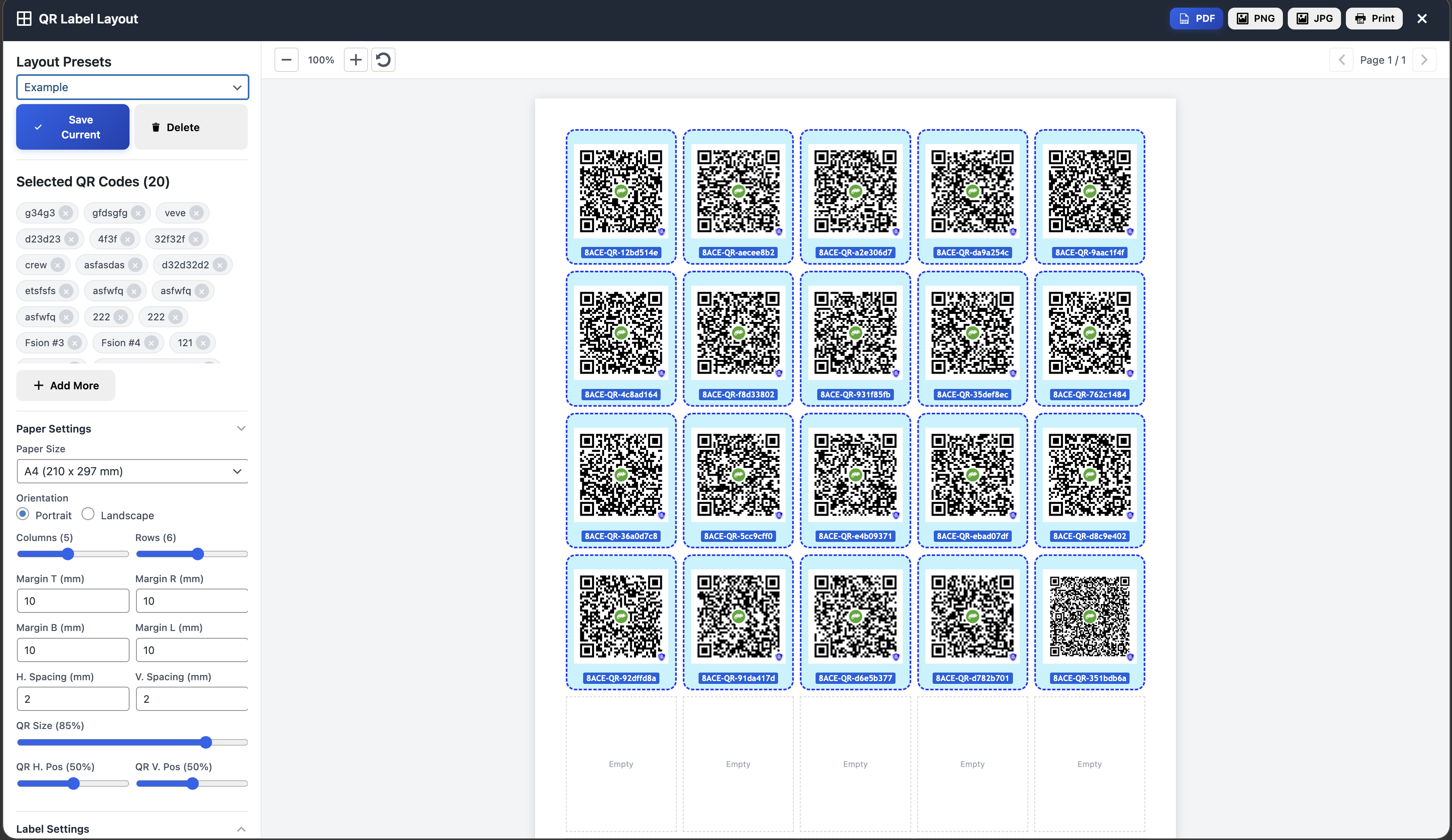
The Label Layout feature lets you arrange multiple QR codes on configurable paper grids (A4, Letter, etc.) and export as PDF, PNG, or print directly.
Generate QR for Existing Posts
- Go to Tools → GoValid
- Select posts to generate QR for
- Configure settings
- Click Generate QR Codes
Export QR Codes
- Go to Tools → GoValid
- Click Export QR Codes
- Download as ZIP file
Troubleshooting
Plugin Not Connecting
- Verify GoValid account is active
- Check API key is valid
- Ensure WordPress can reach api.govalid.org
- Check for firewall restrictions
QR Codes Not Displaying
- Clear WordPress cache
- Check theme compatibility
- Verify shortcode syntax
- Check browser console for errors
WooCommerce Integration Issues
- Ensure WooCommerce is installed and active
- Check product types are supported
- Verify API permissions include product access
Requirements
- WordPress 5.5 or later
- PHP 7.4 or later
- Active GoValid account
- Internet connection for API calls